Textures Brushes for Affinity Suite: Elevating Digital Art with Authentic Grit
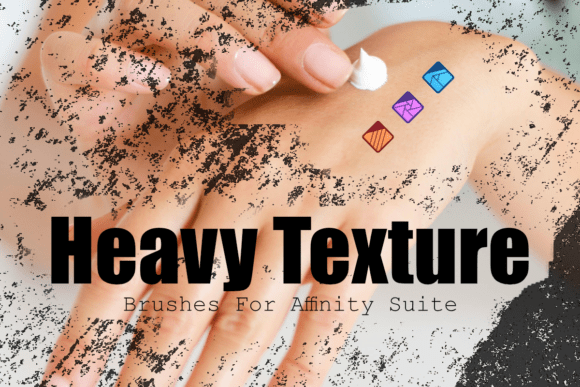
In the evolving world of digital design, texture plays a crucial role in bridging the gap between the sterile precision of pixels and the organic warmth of analog media. The Textures Brushes for Affinity Suite — specifically the Heavy Texture Overlay Brush Set for Affinity Photo & Designer — offers a powerful toolkit for creators who want to infuse their work with raw, scratched, and distressed effects that feel authentic and tactile.
This brush set, featuring 12 gritty, handcrafted brushes, is designed to seamlessly integrate with Affinity Photo and the Pixel Persona in Affinity Designer. Whether you're a photographer, illustrator, or graphic designer, these brushes provide a direct way to add mood, depth, and character to your digital compositions without relying on complex layer effects or external assets.
Why Texture Matters in Modern Design
As digital workflows become more refined and accessible, there’s a growing counter-movement toward imperfection and authenticity. Consumers and creators alike are gravitating toward designs that feel human — not overly polished or artificial. This shift is evident in the popularity of vintage aesthetics, analog film simulations, and handcrafted textures across branding, editorial design, and visual storytelling.
The Heavy Texture Overlay Brush Set taps into this trend by giving users the ability to stamp realistic, distressed effects directly onto their work. These brushes mimic the irregularities of physical media — from rough paper surfaces to weathered ink — allowing artists to create visuals that resonate emotionally and stand out in a sea of digital sameness.
How the Brush Set Enhances Creative Workflows
One of the standout features of this brush set is its seamless integration with both desktop and iPad versions of Affinity Photo and Designer. The one-click install function in Affinity Photo makes setup effortless, while the included installation guide ensures smooth deployment across macOS, Windows, and iPadOS environments.
Each of the 12 brushes is optimized for specific effects, from coarse grit to fine scratches, enabling both bold statements and subtle enhancements. For example, a comic book artist can use a heavy texture brush to simulate ink bleed on paper, while a poster designer might layer multiple brushes to achieve a vintage, weathered look. These brushes are not just tools — they’re creative collaborators that expand what’s possible within the Affinity ecosystem.
Real-World Applications Across Creative Fields
- Photographers can add film grain or scratched overlays to give digital images a nostalgic feel.
- Illustrators benefit from the ability to build up textured surfaces that mimic traditional media like charcoal or watercolor paper.
- Graphic designers can use the brushes to create distressed typography, vintage logos, or textured backgrounds that elevate branding and packaging projects.
- Comic artists can apply gritty shading effects that enhance mood and depth without manual rendering.
Because the brushes are built specifically for the Affinity suite, users can expect consistent performance and full compatibility across platforms — a major advantage for professionals who work across devices or on the go.
The Evolution of Digital Texture Tools
In the early days of digital art, texture was often an afterthought — something added through external image overlays or complex layer blending. As creative software matured, tools began to reflect the need for more intuitive, integrated texture solutions. Today, brushes like those in the Heavy Texture Overlay Set represent a new generation of digital tools that prioritize both performance and artistic expression.
This evolution mirrors broader trends in creative software, where customization and personalization are increasingly valued. Users no longer want generic presets — they seek tools that adapt to their unique style and workflow. The Heavy Texture Overlay Brush Set meets this demand by offering flexibility without sacrificing ease of use.
Practical Benefits for Everyday Creatives
For the working professional, time is a precious resource. This brush set delivers value by streamlining the texturing process. Instead of manually creating or sourcing textures, artists can simply select a brush and apply effects directly within their project. This saves time, maintains creative flow, and ensures consistency in output.
Additionally, the brushes are scalable and non-destructive when used with adjustment layers or masks, allowing for experimentation without compromising the original artwork. This flexibility is especially important in iterative design processes where revisions are common.
What to Consider When Using Texture Brushes
While the Textures Brushes for Affinity Suite are designed for ease of use, a few best practices can help users get the most out of them:
- Layer wisely – Use separate layers for different texture applications to maintain editability.
- Blend modes matter – Experiment with overlay, multiply, and soft light blending to achieve different effects.
- Opacity and flow adjustments – These controls allow for subtle or dramatic effects depending on the desired outcome.
- Combine with other brushes – The Heavy Texture Overlay Brush Set works well alongside other Affinity brushes for mixed-media effects.
By treating texture as a dynamic element rather than a static overlay, artists can create richer, more engaging visuals that stand out in both print and digital formats.
Final Thoughts: A Must-Have Tool for Digital Artists
In a digital landscape where perfection is easy but authenticity is rare, the Heavy Texture Overlay Brush Set provides a valuable solution. Whether you're enhancing a photo, designing a poster, or illustrating a story, these brushes give you the tools to add depth, emotion, and tactile realism without leaving the Affinity suite.
For professionals and hobbyists alike, investing in quality texture tools like this brush set is a smart move — one that can elevate your work, streamline your workflow, and help you stand out in a competitive creative market.