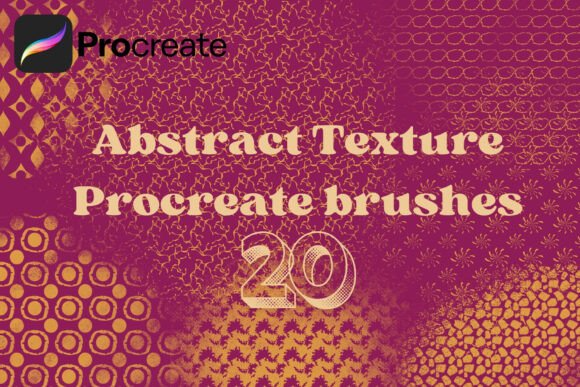
20 Abstract Texture Procreate Brushes: Elevate Your Digital Art with Versatile Textures
For digital artists, texture can be the difference between a flat, lifeless illustration and one that feels rich, layered, and dynamic. The 20 Abstract Texture Procreate Brushes offer a powerful solution for artists looking to add depth, interest, and a unique visual language to their work — without spending hours crafting intricate patterns from scratch.
Whether you're designing backgrounds, enhancing lettering, or adding subtle detail to character clothing, this brush set gives you the flexibility and creative freedom to explore a wide range of styles and effects. Let’s dive into how this versatile toolkit can become an essential part of your digital illustration workflow.
Why Texture Matters in Digital Art
Texture brings tactile depth to digital illustrations. It can evoke emotion, suggest materiality, and guide the viewer’s eye through a composition. However, creating realistic or stylized textures manually can be time-consuming and technically demanding. Many artists struggle with making flat colors feel more organic or finding ways to differentiate elements within a complex layout.
This is where the 20 Abstract Texture Procreate Brushes come in. Designed to streamline the process of integrating texture into your artwork, this set gives you instant access to a variety of patterns and effects that can be applied with a few brush strokes.
What You Get with 20 Abstract Texture Procreate Brushes
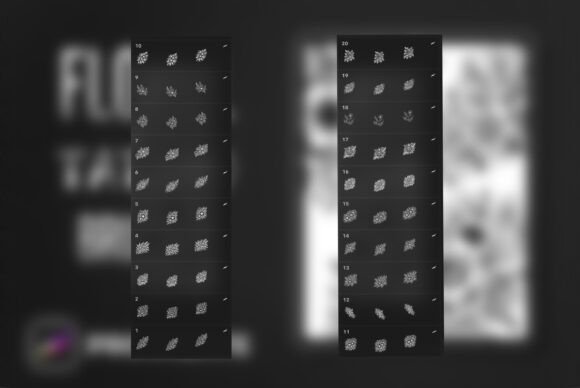
The set includes a thoughtfully curated collection of 20 brushes, all bundled into a single .brushset file for easy import into Procreate. These brushes are not just random textures — they’re carefully crafted seamless patterns that scale beautifully across any canvas size.
- Geometric patterns like grids, triangles, and hexagons for structured, modern designs.
- Organic textures that mimic natural surfaces, perfect for backgrounds or environmental elements.
- Animal-inspired prints such as scales or abstract fur patterns for character design.
- Stylized abstract shapes including stars, dots, and experimental marks for creative accents.
Each brush is pressure-sensitive where applicable, giving you control over opacity and density. Whether you're working on an iPad with Apple Pencil or a stylus, you'll appreciate the responsiveness and nuance these brushes provide.
Practical Applications Across Art Styles and Projects
One of the standout features of the 20 Abstract Texture Procreate Brushes is its adaptability. Artists from different disciplines can find value in this set, using it in unique ways that suit their creative goals.
Background Design Made Easy
Creating visually engaging backgrounds is essential for illustrators, especially in genres like editorial art, children’s books, and concept design. With these brushes, you can quickly build layered, textured backdrops that add context and mood without overshadowing your main subject.
For example, using a grid or circular pattern brush can help you create a futuristic cityscape background in seconds. Layering a soft organic texture on top can simulate atmospheric depth and realism.
Enhancing Flat Colors with Texture
Flat design is popular for its clean, modern aesthetic, but it can sometimes lack visual interest. By applying one of the texture brushes over flat areas, you can add depth and dimension without complicating your color palette.
Try using a grain or speckled brush over a solid background to break up monotony. This technique works especially well in digital scrapbooking or social media graphics, where small details can make a big impact.
Character and Object Design
When designing characters, texture can help communicate materiality — whether it’s the roughness of armor, the softness of fur, or the sheen of fabric. The animal-inspired and geometric brushes in this set are ideal for adding surface detail to clothing, accessories, or props.
For instance, a character wearing a patterned shirt can be enhanced with a circular or hexagonal texture brush, giving the fabric a stylized yet realistic appearance without needing to draw each pattern manually.
Lettering and Typography
Hand-lettering artists can use these brushes to add a tactile, organic feel to their work. Applying a texture over or within letterforms can make them stand out while adding visual intrigue.
Try using a star or abstract brush to create a glowing or cosmic effect around your text. Or layer a soft organic texture inside letters to give them a weathered, vintage look.
Concept Art and Quick Sketches
For concept artists, speed and clarity are key. The 20 Abstract Texture Procreate Brushes allow you to block in textures quickly, helping you communicate ideas more effectively during the early stages of a project.
Instead of spending time rendering every surface, you can use these brushes to suggest materials and environments, saving time while maintaining visual richness.
Who Should Use These Brushes?
The versatility of the 20 Abstract Texture Procreate Brushes makes them ideal for a wide range of users:
- Illustrators who want to add depth and interest to their work without complex layering.
- Graphic designers looking for quick ways to enhance layouts and compositions.
- Lettering artists who want to bring texture and dimension to their typography.
- Digital scrapbookers aiming to add decorative, cohesive elements to their pages.
- Beginners exploring texture for the first time, as the brushes are easy to install and use right away.
Installation and Tips for Best Results
Getting started with the 20 Abstract Texture Procreate Brushes is simple. Once downloaded, the .brushset file can be imported directly into Procreate with just a few taps. From there, you can access the brushes in your brush library and begin experimenting.
Here are a few tips to get the most out of your new toolkit:
- Layer textures on separate layers for more control and flexibility. This allows you to adjust opacity, blending modes, and even erase parts without affecting your base artwork.
- Use clipping masks when applying textures over specific areas like clothing or lettering. This ensures the texture stays within the bounds of your original shape.
- Experiment with blending modes like Multiply, Overlay, or Soft Light to achieve different effects and integrate textures more naturally into your piece.
- Combine multiple brushes to create complex, layered surfaces. For example, layer a grid pattern with a subtle grain texture to simulate a weathered background.
Final Thoughts: A Must-Have for Any Digital Artist
The 20 Abstract Texture Procreate Brushes offer a practical, time-saving way to enhance your digital illustrations with depth, variety, and personality. Whether you're a seasoned illustrator or just starting out, this brush set provides the tools you need to elevate your work without complicating your workflow.
By integrating these brushes into your creative process, you open up new possibilities for expression, efficiency, and polish. From concept art to lettering, character design to digital scrapbooking, these textures are a versatile addition to any Procreate artist’s toolkit.