Enhancing Visual Impact with Impact Shatter Photoshop Brushes
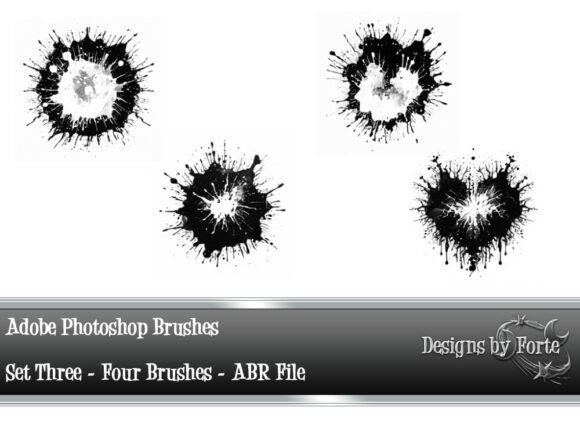
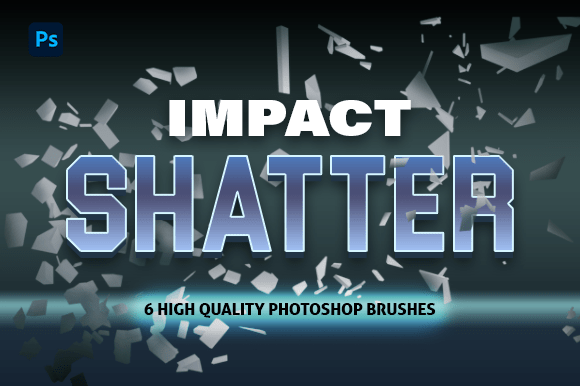
Visual storytelling thrives on contrast, tension, and movement. In digital design, achieving that dynamic edge often comes down to the tools you use. Enter Impact Shatter Photoshop Brushes — a set of six high-quality brushes designed to inject sharp, broken, and chaotic elements into your work. Whether you're crafting digital art, designing posters, or working on graphic projects, these brushes offer a seamless way to add energy and texture without complicating your workflow.
What Makes Impact Shatter Brushes Stand Out?
At their core, the Impact Shatter Brushes are crafted for one purpose: to create realistic, high-impact shattered effects with minimal effort. Each of the six brushes in the set is uniquely designed to simulate different types of fractures, splinters, and broken surfaces. Unlike generic brushes, these are custom-built to maintain clarity and detail even at large scales.
- High-resolution textures that hold up in print and digital formats
- .ABR format for seamless integration with most Photoshop versions
- Versatile application across multiple design disciplines
Their simplicity is their strength. You don't need advanced masking or layer blending techniques to make them work. Just a few brush strokes and you can simulate shattered glass, cracked concrete, or explosive impact zones.
How to Use Impact Shatter Brushes in Your Workflow
One of the greatest advantages of the Impact Shatter Photoshop Brushes is how easily they integrate into existing workflows. Here's how designers are putting them to use:
- Layer over photographs to add dramatic, broken effects to portraits or product shots
- Enhance motion graphics by creating dynamic impact zones in still compositions
- Design high-energy posters for events or campaigns needing visual urgency
- Add realism to digital paintings by incorporating fractured surfaces or explosive elements
Because they're in .ABR format, they work natively with Photoshop’s brush engine, allowing for pressure sensitivity, opacity control, and easy customization. You can adjust size, angle, and spacing to match your specific design needs.
Why Shattered Effects Matter in Modern Design
In today’s fast-paced visual landscape, static images often struggle to capture attention. That’s where shattered effects come in — they introduce a sense of motion, impact, and narrative. Whether it's a broken screen overlay on a tech product or a dramatic fracture across a character’s face in a digital painting, these effects communicate tension and transformation.
Designers in industries like advertising, gaming, and film regularly use shattered textures to emphasize action or change. For example, a promotional poster for a superhero movie might use shatter effects to visually depict a character’s breaking point or a climactic moment.
The Impact Shatter Brushes allow you to tap into that same visual language without spending hours recreating effects from scratch. They’re a shortcut to storytelling through texture.
Compatibility and Performance Across Photoshop Versions
Whether you're using the latest Adobe Photoshop release or an older version, the Impact Shatter Brushes are built to work seamlessly. The .ABR format is universally supported, and the brushes are optimized to perform well even on older systems or laptops with limited processing power.
Some key compatibility notes include:
- Works in Photoshop CC, CS6, and earlier versions
- No additional plugins or scripts required
- Easily importable via Photoshop’s built-in brush manager
Once installed, the brushes appear in your brush preset panel, ready to be applied with your stylus, mouse, or touchscreen device. They also work well with layer masks and adjustment layers, giving you full control over how you apply and blend the shattered textures.
Real-World Applications and Creative Scenarios
Let’s look at some practical ways designers are using these brushes in real projects:
1. Poster Design for Music and Events
Event posters thrive on visual impact. A DJ festival flyer might use the Impact Shatter Brushes to create a shattered vinyl effect around the central image, reinforcing the idea of loud, powerful sound. Similarly, a concert poster for a rock band can use these brushes to simulate broken glass or cracked surfaces, matching the intensity of the music genre.
2. Digital Illustration and Concept Art
Illustrators often use shattered effects to show transformation or destruction. A character in the middle of a magical evolution might be surrounded by cracks and energy bursts. The Impact Shatter Brushes allow artists to quickly sketch in those effects and refine them as needed, without slowing down their creative process.
3. UI/UX Mockups and App Design
In app design mockups, especially for glitch or error states, a broken screen effect can be both visually engaging and functional. Using these brushes, designers can simulate cracked screens or shattered UI elements to show transitions, errors, or interactive states in a visually compelling way.
Maximizing the Effect: Tips and Best Practices
To get the most out of your Impact Shatter Photoshop Brushes, consider these tips:
- Use layer blending modes like Multiply, Screen, or Overlay to blend shattered effects more naturally with your base image.
- Combine with lighting effects to enhance realism — a simple gradient overlay or light flare can make the shattered area feel like part of the scene.
- Mask and refine your brush strokes using layer masks to control where the effect appears and how intense it is.
- Experiment with colors by applying adjustment layers like Hue/Saturation or Color Balance to tint the shattered elements to match your design palette.
By layering multiple brushes and adjusting their settings, you can build complex, high-impact visuals that stand out in any medium.
Choosing the Right Tools for Impactful Design
When selecting tools for your design projects, it's important to weigh both creativity and efficiency. The Impact Shatter Photoshop Brushes offer a rare combination of visual power and ease of use. They save time, reduce the need for complex editing, and deliver professional results with minimal effort.
Before investing in any brush set, consider the following:
- Quality of brush textures — Are they high-resolution and detailed?
- Compatibility — Will they work with your version of Photoshop?
- Versatility — Can they be used across different types of projects?
- Support and documentation — Is there guidance available for installation and use?
The Impact Shatter Brushes meet all these criteria, making them a reliable addition to any designer’s toolkit.