Storm and Cloud Procreate Brushes for iPad Artists
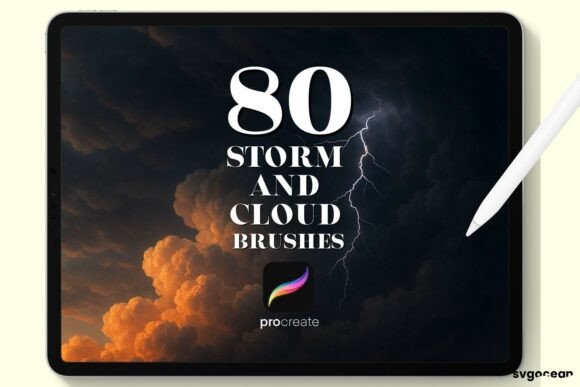
Storm and Cloud Procreate Brushes offer a unique toolkit for digital artists using the Procreate app on iPad with Apple Pencil. Whether you're illustrating a dramatic scene, designing a fantasy landscape, or adding atmospheric depth to your artwork, these brushes bring realism and versatility to your creative process. Designed specifically for Procreate, they integrate seamlessly into your workflow, allowing you to focus on expression without technical friction.
What Makes Storm and Cloud Procreate Brushes Stand Out?
These brushes are crafted with attention to texture, opacity control, and dynamic behavior. Unlike generic brushes, they simulate the natural movement and density of clouds and storm systems, making them ideal for environmental design, concept art, and mood-setting illustrations. The brushset includes a variety of cloud types—wispy cirrus, dense cumulus, and stormy nimbus—each with customizable opacity and color blending options.
One of the key features is the ability to layer effects with minimal effort. You can build depth by adjusting pressure sensitivity through the Apple Pencil, allowing soft transitions or bold, defined strokes depending on your intent. This flexibility is especially valuable for illustrators and concept artists who need to convey weather conditions or atmospheric shifts quickly and effectively.
Instant Download and Easy Setup
After purchase, you receive a single .brushset file via email, which you can import directly into Procreate. The process is straightforward: download the file, open Procreate, and tap the brush library to import. No additional software or setup is required, which is a major benefit for creators who want to jump into their projects immediately without technical delays.
Real-World Applications Across Creative Fields
Whether you're a freelance illustrator, a game designer, or a digital marketer, Storm and Cloud Procreate Brushes can enhance your visual storytelling. Here are a few practical use cases:
- Concept Art: Quickly establish mood and environment in early sketches for films, games, or animations.
- Children's Book Illustration: Use soft cloud brushes to create dreamy skies or stormy weather that enhances the emotional tone of a scene.
- Marketing Visuals: Add atmospheric depth to promotional graphics or social media visuals to draw attention and evoke emotion.
- Photographic Compositing: Blend digital clouds into photo backgrounds to create dramatic or surreal effects.
- Education: Teachers and digital art instructors can use these brushes to demonstrate weather patterns or atmospheric perspective in a visually engaging way.
Professional and Commercial Benefits
For professionals, these brushes can significantly reduce the time needed to render atmospheric effects manually. This efficiency boost translates into faster project turnaround and more time for creative refinement. Additionally, using high-quality, specialized brushes can elevate the final look of your work, helping your portfolio or brand visuals stand out in a competitive market.
Business owners and marketers can also benefit by incorporating these brushes into branded content. For example, a travel blog could use storm and cloud brushes to enhance digital illustrations of destinations, adding visual interest and emotional resonance to the content.
Usability and Workflow Enhancements
Procreate users appreciate brushes that respond intuitively to pressure and tilt, and Storm and Cloud brushes deliver that responsiveness. You can adjust the size, opacity, and grain of each brush directly within Procreate’s interface, giving you full control over your atmospheric effects. Because they're optimized for Apple Pencil, you get a natural drawing experience that mimics traditional media while retaining the benefits of digital editing.
Another usability advantage is the ability to customize brush presets. Once imported, you can save variations of each brush with specific settings tailored to your style, making it easy to access your preferred cloud or storm effect with a single tap.
Design Tips for Best Results
To get the most out of Storm and Cloud Procreate Brushes, consider the following:
- Layer Strategically: Use lighter cloud brushes on top layers and darker storm brushes beneath to simulate depth and movement.
- Experiment with Color: These brushes work well in any color mode—try using warm hues for sunrise clouds or cool tones for moody storm fronts.
- Combine with Other Tools: Pair these brushes with Procreate’s smudge or blending tools to soften edges or create motion blur effects.
- Use Reference Images: For realism, study real cloud formations and weather patterns to guide your brushstrokes.
- Save Custom Presets: Tailor brushes to your preferred settings and save them for quick access in future projects.
Considerations When Choosing Digital Brushes
When selecting brushes for Procreate, it's important to evaluate compatibility, ease of use, and adaptability to your artistic style. Storm and Cloud Procreate Brushes are a solid choice because they're specifically built for Procreate and designed by experienced digital artists. They don't require additional configuration or third-party software, which makes them accessible even for beginners.
However, it's always a good idea to test brushes in a sample project before committing to a large illustration. This ensures the texture and behavior align with your expectations. Also, keep in mind that while these brushes are highly specialized, they work best when used in combination with other tools in your digital arsenal.
Final Thoughts
Storm and Cloud Procreate Brushes are more than just a set of atmospheric tools—they're a practical enhancement to your digital painting workflow. Whether you're crafting a narrative illustration, designing a fantasy world, or simply adding mood to your digital sketches, these brushes offer a level of realism and control that can elevate your work. Their ease of installation, intuitive behavior, and wide range of applications make them a worthwhile addition to any iPad artist's toolkit.