4 Abstract Photoshop Brushes for Dynamic Design
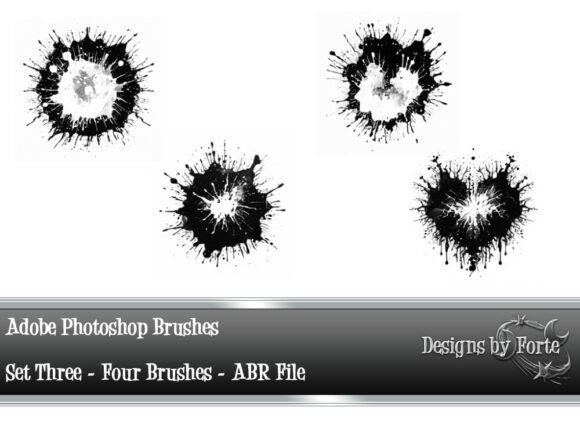
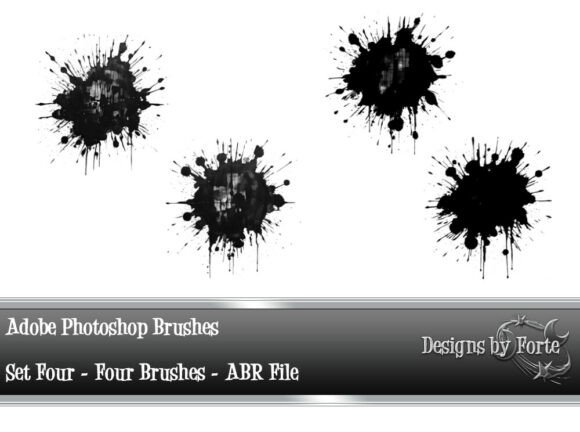
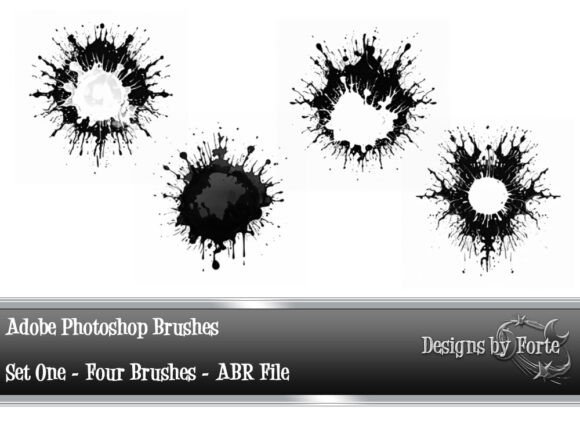
Unlock new dimensions of creativity with the 4 Abstract Adobe Photoshop Brushes Set 1. This curated collection includes four uniquely crafted brushes designed to inject spontaneous energy into your digital work. Each brush mimics the unpredictable flow of ink splatters, offering a fresh, expressive tool for designers, illustrators, and creative professionals.
What Makes This Brush Set Stand Out?
The 4 Abstract Adobe Photoshop Brushes Set 1 is more than just a set of digital tools—it’s a gateway to expressive freedom. The included brushes simulate real ink textures with fluid motion and chaotic elegance. Whether you're creating backgrounds, textures, or overlays, these brushes help you break away from rigid digital lines and embrace organic, handcrafted aesthetics.
The set includes four PNG files and one ABR file, making it easy to install and use across different versions of Adobe Photoshop. Each brush has been carefully designed to provide variation in density, direction, and texture, giving you full control over how much randomness you want in your design.
Creative Possibilities with Abstract Ink Brushes
These brushes are ideal for a wide range of creative applications. Here are just a few ways you can incorporate them into your work:
- Background textures: Use the brushes to create dynamic, layered backgrounds for posters, digital art, or website headers.
- Illustration accents: Add organic depth to vector illustrations or character art with subtle ink overlays.
- Typography effects: Give your text a hand-painted feel by applying the brush texture over letterforms.
- Photo overlays: Blend abstract ink textures with photographs for a mixed-media effect.
Designing with Movement and Emotion
One of the most compelling aspects of the 4 Abstract Adobe Photoshop Brushes Set 1 is their ability to convey motion and emotion. Unlike static design elements, these brushes introduce a sense of movement, making your visuals feel alive. They work especially well in projects that aim to evoke raw emotion or a sense of urgency—think music posters, editorial illustrations, or experimental branding.
Try using different brush blending modes (like Multiply, Screen, or Overlay) to vary the intensity and interaction with your base layers. You can also layer multiple brushes for a more complex, textured look.
Who Can Benefit from These Brushes?
This brush set is versatile enough to serve a variety of creative professionals and hobbyists:
- Graphic designers: Use the brushes to add expressive elements to branding, packaging, or advertising visuals.
- Bloggers and content creators: Enhance your social media templates or blog graphics with a touch of abstract flair.
- Artists and illustrators: Integrate ink textures into your digital paintings for a more tactile, layered finish.
- Entrepreneurs and small businesses: Apply these brushes to promotional materials for a unique, handcrafted look that stands out.
Adapting the Brushes for Different Styles and Formats
One of the greatest strengths of this brush set is its adaptability. While the ink splatter aesthetic is inherently abstract, the way you apply it can drastically change the outcome. Here are a few style variations you can explore:
- Minimalist: Use light, single strokes to create subtle texture in otherwise clean designs.
- Experimental: Layer multiple brush strokes with bold colors for high-impact visual art.
- Vintage: Combine with sepia tones or distressed effects for retro-inspired compositions.
- Modern: Pair with sleek typography and geometric shapes for a contemporary mixed-media look.
Getting the Most from Your Abstract Brushes
To ensure your designs remain visually cohesive and professional, here are a few practical tips when using the 4 Abstract Adobe Photoshop Brushes Set 1:
- Adjust brush settings: Play with opacity, flow, and scattering to fine-tune the level of randomness.
- Use layer masks: Keep your design non-destructive by applying brushes on separate layers with masks.
- Limit color palette: Stick to a controlled color scheme to maintain visual harmony, especially when using multiple brush layers.
- Scale wisely: Resize the brush according to your canvas to avoid oversaturation or pixelation.
Project Ideas to Spark Your Imagination
If you're looking for inspiration, here are a few project ideas that can benefit from the 4 Abstract Adobe Photoshop Brushes Set 1:
- Create a set of abstract social media posts for a creative brand or personal portfolio.
- Design a series of digital greeting cards with a painterly, expressive feel.
- Develop a unique album cover using layered ink textures and bold typography.
- Enhance a digital art portfolio with dynamic background elements that reflect your personal style.
Final Thoughts: A Tool for Expressive Design
The 4 Abstract Adobe Photoshop Brushes Set 1 is more than just a collection of digital brushes—it's a tool for creative expression. Whether you're a seasoned designer or someone just beginning to explore digital art, these brushes offer a simple yet powerful way to elevate your work. By embracing the unpredictable nature of ink splatters, you open up new avenues for visual storytelling and artistic experimentation.
Download the set today and start exploring how a few brush strokes can transform your creative process. Let your designs breathe with movement, texture, and a sense of unrestrained beauty.